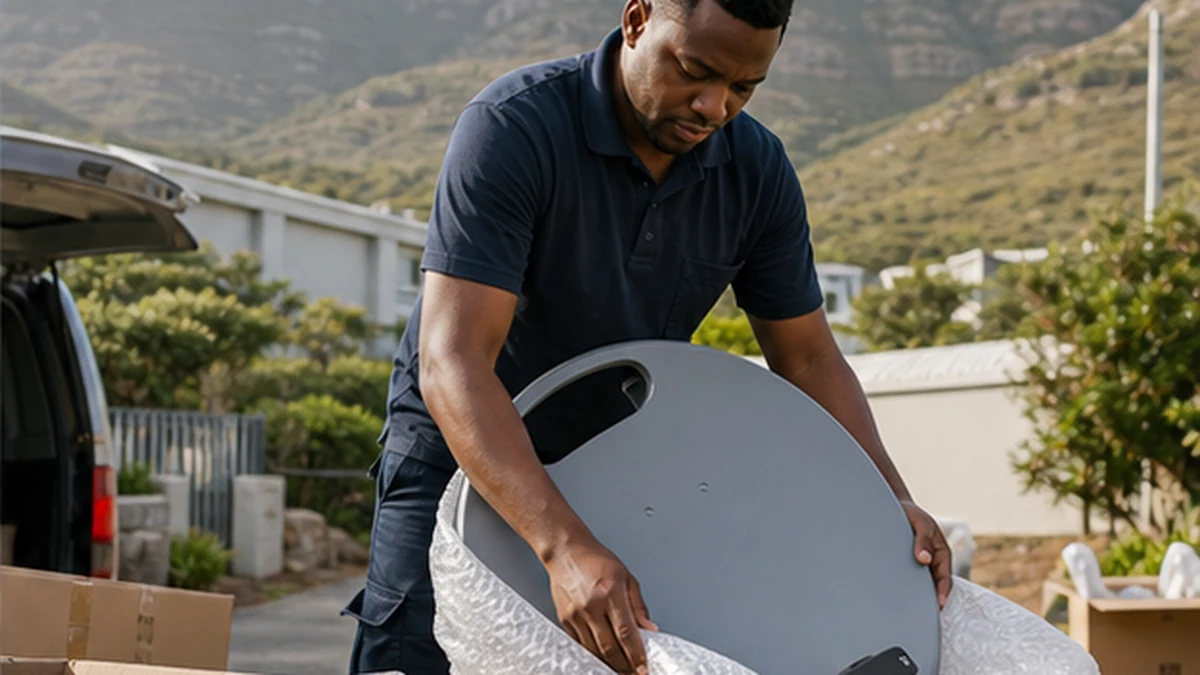
A DStv relocation in Noordhoek works best when the decoder account, removable equipment and new-property access are checked before moving day. The decoder can travel with you, but the dish and fixed cabling may belong to the property or may not suit the new site. Estate rules can also affect where a replacement dish is mounted. Treat the move as two separate tasks: closing down the old setup carefully and planning a reliable installation at the new address. This checklist helps owners and tenants avoid missing remotes, damaged ports, unclear ownership and a last-minute search for a workable cable route.
Before a DStv relocation in Noordhoek
Confirm which equipment is yours. Decoders, remotes and power supplies normally move with the account holder. The dish, wall bracket and installed coax may be regarded as fixtures, especially in a rental. Check the lease or sale agreement rather than removing fixed equipment without consent.
Record decoder model and serial details, photograph the current connections and label each cable before unplugging it. If you use linked decoders, note which unit is primary and which rooms they serve. The Extra View installation page is useful when the new home needs a different multi-room layout.
- Confirm ownership of fixed equipment
- Save decoder and account details
- Photograph every rear-panel connection
- Pack remotes and power supplies together
Check the new Noordhoek property before moving day
Look for an existing dish, usable coax outlets and a clear path between the likely dish position and TV room. An old dish is not proof that the system is serviceable. Its bracket may be loose, the LNB weathered or the cable damaged. Avoid connecting unknown cable directly and assuming a decoder fault when no picture appears.
At homes in San Michel, Brookwood or The Lakes, room layout and garden growth may have changed since the previous system was installed. Send photographs to the installer and identify locked gates, roof access limits or pets. The new DStv installation service outlines what is assessed when the existing hardware cannot be reused.
Plan dish approval and cable routes
For Chapman’s Bay Estate, Lake Michelle, Noordhoek Manor or Silvermine Village, ask whether external equipment needs approval or must follow a preferred position. A shared dish may already serve the building. Adding another reflector without checking can breach appearance rules or interfere with a managed system.
Choose viewing positions before cable is installed. Moving a TV after the route is clipped may lead to exposed joins or a second run. If a wall-mounted television is planned, coordinate bracket position, power, HDMI and coax together. The Noordhoek TV mounting layout guide helps align those decisions.
- Estate or landlord approval
- Dish line of sight and safe access
- TV, decoder and router positions
- Concealed or surface cable preference
Pack and transport the decoder safely
Switch the decoder off before disconnecting it. Do not pull a coax lead by the cable, as this can damage the connector or decoder input. Coil leads loosely and protect the ports from pressure inside the box. Keep the remote, power supply and any network accessories with the correct decoder.
Do not place heavy items on top of the unit. Heat, moisture and impact can cause faults that look like installation problems later. If the decoder already showed errors at the old address, mention them. A decoder and signal diagnosis should separate an equipment fault from a relocation issue.
Test the relocated system and keep a handover record
After mounting and cabling, the installer should align the dish with a signal meter and test the channels, decoder functions and linked viewing points. A picture on one channel is not a complete test. Check remote operation, recording features where applicable and the stability of each room.
Ask which old components were reused and which were replaced. Photograph the finished dish and visible cable route. If you need help coordinating access, use the Noordhoek booking page with both the old and new address details, plus the date when each property is available.
- Signal quality checked at the decoder
- All viewing points tested
- Cables secured and entry points sealed
- Decoder network or linking confirmed
- Old equipment handled as agreed
For tenants, complete a short condition record at both properties. Photograph existing holes, old dish hardware and damaged wall plates before work starts. Agree whether unused cable should be removed or left safely terminated. This protects the owner, tenant and installer from uncertainty after the move. It also helps the next occupant understand which outlets are active.
Frequently asked questions
How early should I plan a DStV relocation in Noordhoek?
Plan once you have access details and permission for the new property. The key is not a promised lead time but having the estate approval, equipment list and room layout ready before an appointment is booked.
Can I use the dish already at the new house?
Possibly. It should be inspected for alignment, corrosion, bracket stability, LNB compatibility and cable condition. Reuse is sensible only when testing shows that the existing equipment is sound.
Do I take the satellite dish when I move?
That depends on ownership and the property agreement. A dish fixed to a rental or sold home may be treated as a fixture. Confirm in writing before removing it.
Will my decoder account update itself at the new address?
Physical installation and account administration are separate. Keep your account details available and follow the provider process for any required customer or decoder updates.