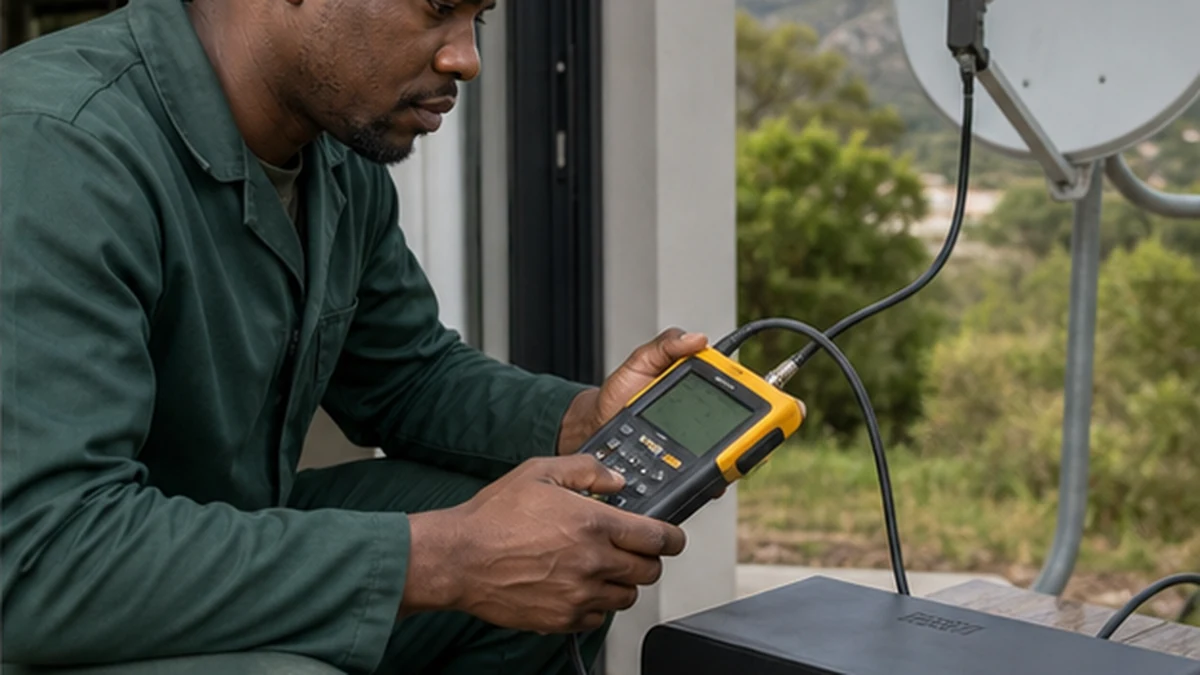
An OpenView no signal message in Noordhoek can come from the television input, the decoder connection or the satellite path outside. Start by identifying which screen is producing the message. If it comes from the TV, the selected HDMI input or lead may be wrong. If it comes from the OpenView decoder, the dish, LNB, coax or decoder setup needs attention. Weather timing also matters. A fault that began after strong wind is different from one that followed heavy rain or moving the media unit. Work from the room outwards and avoid changing several settings at once.
First checks for OpenView no signal in Noordhoek
Confirm that the television and decoder both have power. Use the TV remote to select the HDMI input connected to the decoder. Reseat the HDMI lead with the equipment switched off, then restart normally. If the decoder menu appears, the TV connection is working and the problem is likely on the satellite side.
Check whether the coax connector at the decoder is loose, bent or visibly corroded. Do not force it. A cable that spins with the connector may have been terminated poorly. If you also have DStv equipment at the property, do not swap cables blindly because the dish setup and active connections may differ. The signal troubleshooting service can test each path correctly.
- Power indicators on TV and decoder
- Correct television input
- Secure HDMI connection
- Coax connector free of moisture or damage
Weather clues around Noordhoek OpenView faults
Strong wind can move an already loose dish or bracket. Rain can enter an exposed connector or damaged coax. Trees and new structures can obstruct line of sight, although foliage does not usually create an instant fault unless growth or storm movement reaches the path.
Properties near Noordhaven, Crofters Valley and De Goede Hoop can have exposed mounts or long cable routes. Note exactly when the fault started and whether it clears in dry weather. If moisture is suspected, read the wet coax fault guide and keep the cable disconnected if water is visible.
Dish, LNB and cable diagnosis in Noordhoek
A technician should inspect bracket stability and use a suitable meter to test satellite signal at key points. Alignment should not be attempted by watching a lagging screen reading while moving the dish at random. Small changes can lose the correct position, and roof access creates safety risks.
The LNB connection, coax continuity, connector preparation and wall entries should be examined. Corrosion at one end can indicate hidden moisture along the cable. The dish realignment and cable repair service covers these outdoor causes and should include a decoder-side verification after repair.
- Bracket secure and not twisted
- Dish reflector undamaged
- LNB and connector weatherproof
- Cable route free of cuts and crushed sections
- Signal measured rather than guessed
When settings are part of the problem
Decoder settings may need attention after a reset, equipment move or installation change. Avoid copying technical values from an unrelated online post. Satellite parameters and installation modes must match the service and equipment. Random rescans can erase a useful channel list without fixing a missing input signal.
If the decoder receives a stable measured signal but channels still do not load, the unit or activation state may need checking. Keep the smartcard or device details available where applicable. Physical signal repair and account support are separate, so describe the exact on-screen message.
Preventing repeat OpenView signal loss
Keep outdoor connectors sealed, cable clipped and wall entries arranged to shed water. Do not let garden work, painters or roof contractors leave coax hanging. Indoors, provide ventilation around the decoder and avoid tight cable bends behind a wall-mounted television.
For a new dish or a route that needs replacement, the principles on the satellite installation page still apply to safe mounting and neat cabling. Use the Noordhoek contact page to report the decoder message, weather history and any recent building work.
A useful handover records the measured signal, the final cable route and any components replaced. Keep that note with the decoder details. If the message returns, compare the weather and affected channels with the earlier fault instead of starting again from zero. Where several satellite services share the property, label each coax at the equipment position. Clear labels prevent a future installer from moving a working connection while testing another service. Retest the complete channel list before the technician leaves. Also check the decoder after it has warmed up, since an intermittent power supply or internal fault may not appear immediately after startup.
Frequently asked questions
Why does my OpenView say no signal in Noordhoek after wind?
A loose bracket or dish may have shifted, but cable movement and damaged connectors are also possible. The mount and signal should be measured before parts are replaced.
Can I use a DStv dish for OpenView?
Some existing satellite hardware may be reusable when compatible and correctly aligned, but this should be assessed. Do not move a working dish if it serves another decoder or shared system.
Should I reset the decoder first?
Not as the first response to a satellite fault. Confirm power, TV input and physical connections. A reset cannot repair a shifted dish, wet cable or failed LNB.
Why do only some channels disappear?
Partial service can point to marginal signal, a configuration issue or a component fault. Record which channels are affected and have signal quality checked rather than repeatedly rescanning.