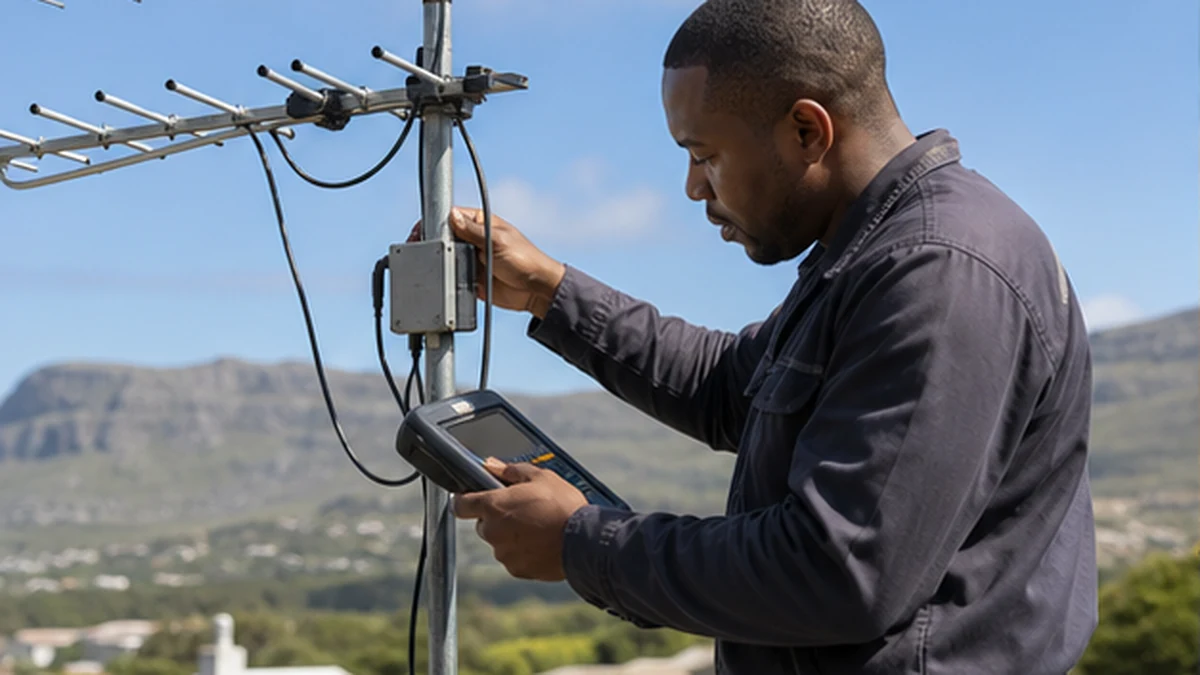
TV aerial faults in Noordhoek are often blamed on the rooftop aerial before the full reception path is tested. The problem may instead be a powered amplifier with no electricity, a corroded connector, a poor splitter or damaged coax inside the roof. Symptoms also provide clues. One faulty outlet points in a different direction from every television losing channels at once. Changes after wind, rain, renovations or load interruptions can narrow the search. A methodical test starts at the affected TV, compares other outlets and works towards the aerial without adding boosters at random.
Read the pattern of TV aerial faults in Noordhoek
Check whether the television shows no signal, broken pictures or only missing channel groups. Confirm that it is set to the terrestrial aerial input and that the fly lead is secure. Retuning should not be the first step because it can remove stored channels when the real issue is a dead feed.
Compare every television point. If one room fails while another remains clear, the aerial itself is less likely to be the only cause. A local assessment from the Noordhoek services hub can test levels at the outlet, splitter and aerial rather than replacing visible parts first.
- Exact on-screen symptom
- Channels or groups affected
- Rooms affected
- Weather or building work before the fault
- Whether an amplifier power light is present
When the Noordhoek aerial is the problem
Wind can rotate an aerial on a loose mast or damage elements. Corrosion at the balun or outdoor connection can reduce signal, while new structures or vegetation may change reception. Visual inspection from the ground can identify obvious movement, but alignment should be measured safely.
An aerial must suit the available terrestrial signal and mounting position. A larger aerial is not automatically better, especially if the distribution system is overloaded or receiving reflected signals. Roof work should be handled with proper access and fall precautions.
Amplifier faults and power problems
An amplifier can compensate for planned distribution losses, but it cannot rebuild a badly distorted or absent signal. If its power supply is unplugged, failed or connected at the wrong point, several outlets may drop together. Some systems feed power through coax, so moving leads can disable the amplifier unexpectedly.
Too much amplification can also create poor reception. The correct approach is to measure input and output, inspect the power unit and set gain for the network. Do not add a second booster because the picture breaks up. It can amplify noise or overload the television tuner.
- Power supply connected and operating
- Input signal measured before amplification
- Output appropriate for splitter losses
- Ventilation and dry equipment location
Cable, splitter and connector faults in Noordhoek
Old coax can crack outdoors, absorb moisture or be damaged by staples and rodents in roof spaces. Loose screen strands, poorly fitted plugs and low-quality splitters can introduce loss or interference. A wall plate may look tidy while the cable behind it is barely connected.
Noordhaven and San Michel homes may have extensions where new and old cable types meet. Trace and label each route before changing the splitter. The moisture principles in the wet coax guide also apply to terrestrial cable, although the aerial and satellite systems should remain correctly separated.
A practical repair and prevention plan
The technician should record signal quality at the aerial feed, before and after any amplifier, and at affected outlets. Replace the proven faulty component and retest the full channel range. Remove abandoned splitters and unsealed outdoor joins where practical. Secure the mast and cable without crushing it.
If the television position is changing, plan the outlet with power and mounting height using the Noordhoek TV layout article. For a fault assessment, use the local contact page and state whether the service is terrestrial aerial TV, OpenView or DStv. This prevents the wrong diagnostic assumptions.
Keep terrestrial aerial leads separate and labelled where they enter a media cabinet. Satellite, aerial and data coax can look similar after years of alterations. A simple route sketch prevents future installers from feeding power into an unknown line or retuning the wrong television. After repair, save the measured readings and confirm reception during normal household use. If the fault was weather-related, inspect the repaired outdoor point again after the next rain rather than waiting for severe picture breakup. Remove unused fly leads and open splitter ports only with the correct termination plan. Loose abandoned branches can introduce loss or interference. A neat cabinet makes later testing faster and reduces accidental disconnection when other equipment is added.
Frequently asked questions
Why did all TV aerial points fail in Noordhoek at once?
A shared component is a likely suspect, such as amplifier power, the main feed, a central splitter or the aerial connection. Test the common path before changing individual televisions.
Should I retune the TV when reception breaks up?
Not until the signal path is checked. Retuning during a fault may delete channels. First confirm the correct input, lead and reception levels.
Will a stronger amplifier fix weak reception?
Only when the incoming signal is usable and distribution loss is the real problem. Excess gain can overload tuners or amplify noise. Measurements should guide amplifier choice and settings.
Can DStv and a TV aerial share the same cable?
Specialised combining and separation can be possible in designed systems, but ordinary joining can cause faults or power conflicts. Have the existing topology identified before altering it.