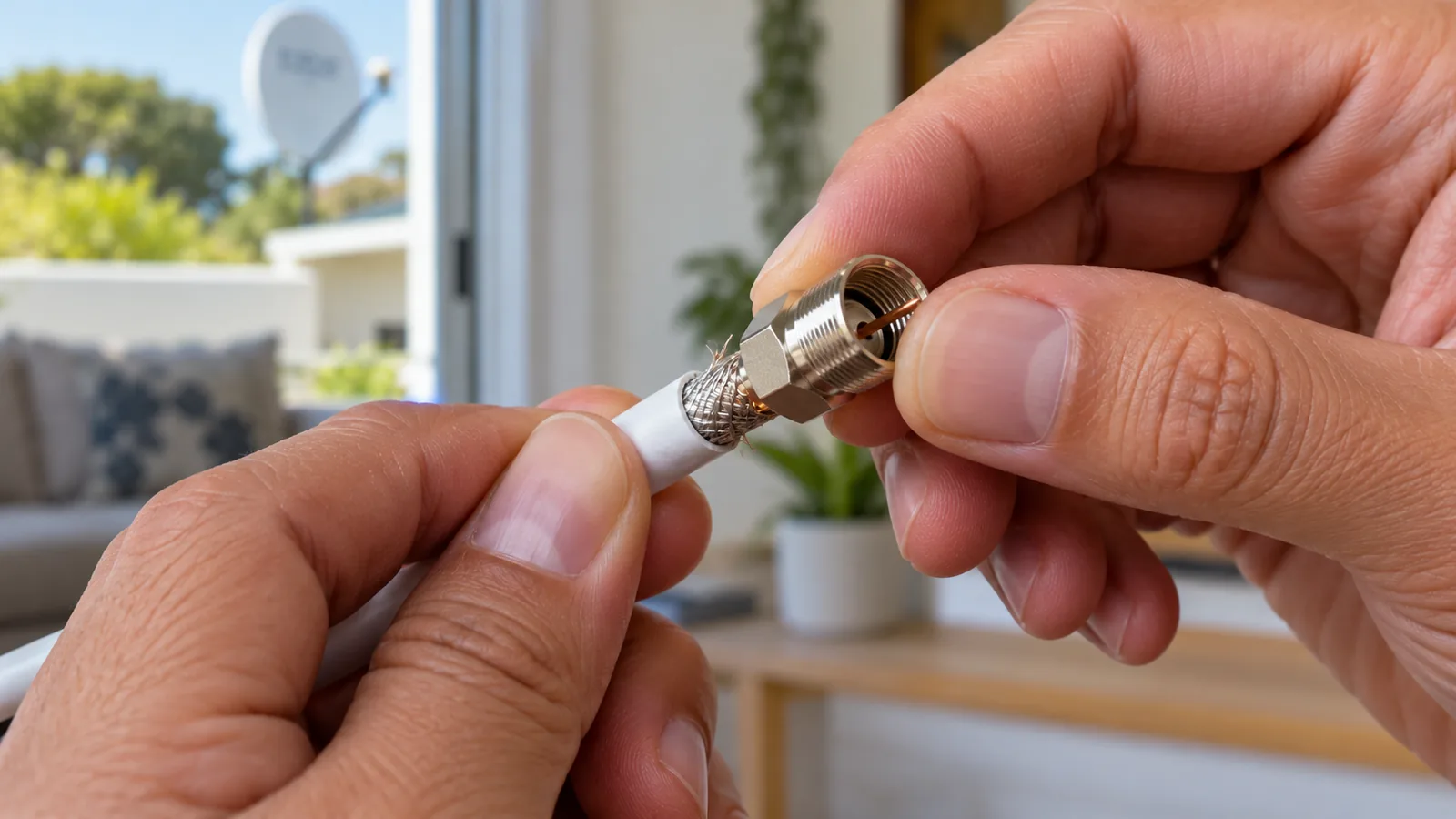
On a Noordhoek smallholding the dish is often on the main house, the TV is in the lounge and a second set sits in a cottage forty metres down the garden. One DStv cable connection does all the work along that route. This guide follows that cable from the dish to the screen so you know what good looks like.
Quick answer
A DStv cable connection runs from the LNB on the dish, along RG6 coaxial cable, into the LNB IN port on the decoder. An HDMI cable then carries the picture to the TV. Each end needs a tight, clean compression F connector that is sealed against damp. Most signal faults we find in Noordhoek start at one of those joints.
The DStv Cable Connection Path in a Noordhoek Home
Think of the system as four boxes joined by three cables. If you can picture the chain, you can usually work out where a fault sits before anyone climbs a ladder.
- Dish and LNB. The dish catches the signal from the Intelsat 20 satellite and the LNB on the arm passes it down the cable.
- Coaxial run. RG6 cable carries the signal along the roof, down a wall and into the house through a sealed entry point.
- Decoder. The coax screws into LNB IN. The decoder checks your subscription and turns the signal into channels.
- TV. An HDMI cable from HDMI OUT on the decoder carries sound and picture to the TV.
That is the whole DStv cable connection in its simplest form. Extra rooms, XtraView and Explora setups add splitters or a Smart LNB, but the basic chain stays the same. If you are unsure which suits a second room, compare an extra TV point versus XtraView first.
In older valley homes we often find the route is far from simple. Cables go through thatch, along beams, out to a garage and back again, sometimes with two or three hidden joins nobody remembers making. Each hidden join is one more weak spot in the DStv cable connection.
Connecting DStv cables behind the decoder
Switch the TV and decoder off at the wall first. Screw the coax onto LNB IN by hand until it is snug, plug the HDMI into the TV, then connect power last. When connecting DStv cables, never force a bent centre pin into the socket, because it can damage the port inside the decoder.
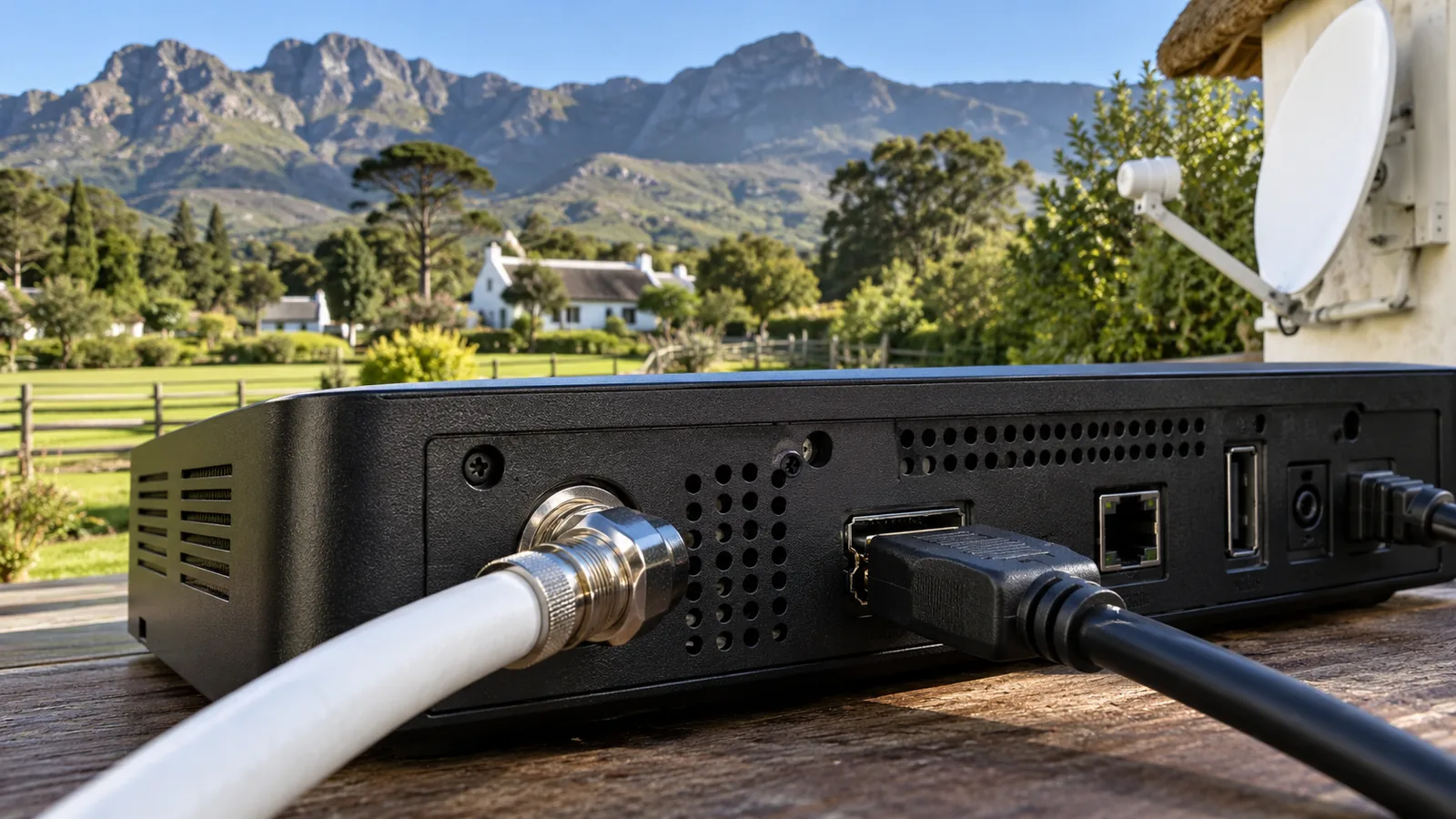
If your decoder has an Ethernet port, a network cable to the router lets you use Catch Up and updates. It does not affect the satellite picture at all, so leave it out of any signal fault hunt.
RG6 Cable and the F Connector: Good Work Versus Bad
Two parts decide whether a DStv cable connection lasts ten years or ten weeks. The first is the cable itself. The second is the small metal plug on each end.
RG6 cable is the standard for satellite TV. It has a thick copper core, a foam layer, a foil wrap and a woven braid under the black outer jacket. That shielding keeps interference out and signal in, so a DStv cable connection built on RG6 holds up better on the longer runs you find on Noordhoek plots.
| What you see | Good sign | Warning sign |
|---|---|---|
| Cable type | RG6 printed on the jacket | Thin, soft cable from an old aerial |
| F connector | Compression type, crimped in one ring | Twist-on type that spins loosely |
| Centre pin | Straight, shiny, about 2mm past the nut | Bent, green or too short |
| Braid | Folded back neatly, no stray strands | Loose wires touching the pin |
| Outdoor joints | Sealed with a boot or self-amalgamating tape | Bare metal or plain insulation tape |
| Route | Clipped every half metre or in conduit | Hanging loose, rubbing on gutters |
A single stray strand of braid touching the pin can short the line and kill the signal. It takes seconds to check and is one of the first things we look at when a DStv cable connection suddenly drops out.
Technician tip
Wiggle each F connector gently while someone watches the signal screen on the decoder. If the bars jump or vanish, you have found a loose or corroded joint. Note which one it is before you touch anything else.
Long Runs to Cottages and Outbuildings in Noordhoek
Many Noordhoek properties have a flatlet, a converted stable or a staff cottage that also wants TV. The farther the signal travels, the weaker it gets, so a cottage at the end of a long gravel driveway needs a bit of planning. When we do a DStv installation in Noordhoek on a big plot, the cable route is drawn out before any drilling starts.
How far can a DStv cable connection run?
With good RG6 and clean joints, runs of 40 to 60 metres usually work well. Past that, every metre and every joint eats into your margin, and a wet winter front can push a borderline line over the edge. We test the far end of every long DStv cable connection on a signal meter before fitting the wall plate.
- Use one unbroken length where you can, with no joins in the middle.
- Run the cable in UV-stable conduit along walls and fences.
- Keep it away from mains power cables to avoid interference.
- Leave a small drip loop where it enters a building so rain runs off.
- Label both ends so the next person knows which TV it feeds.
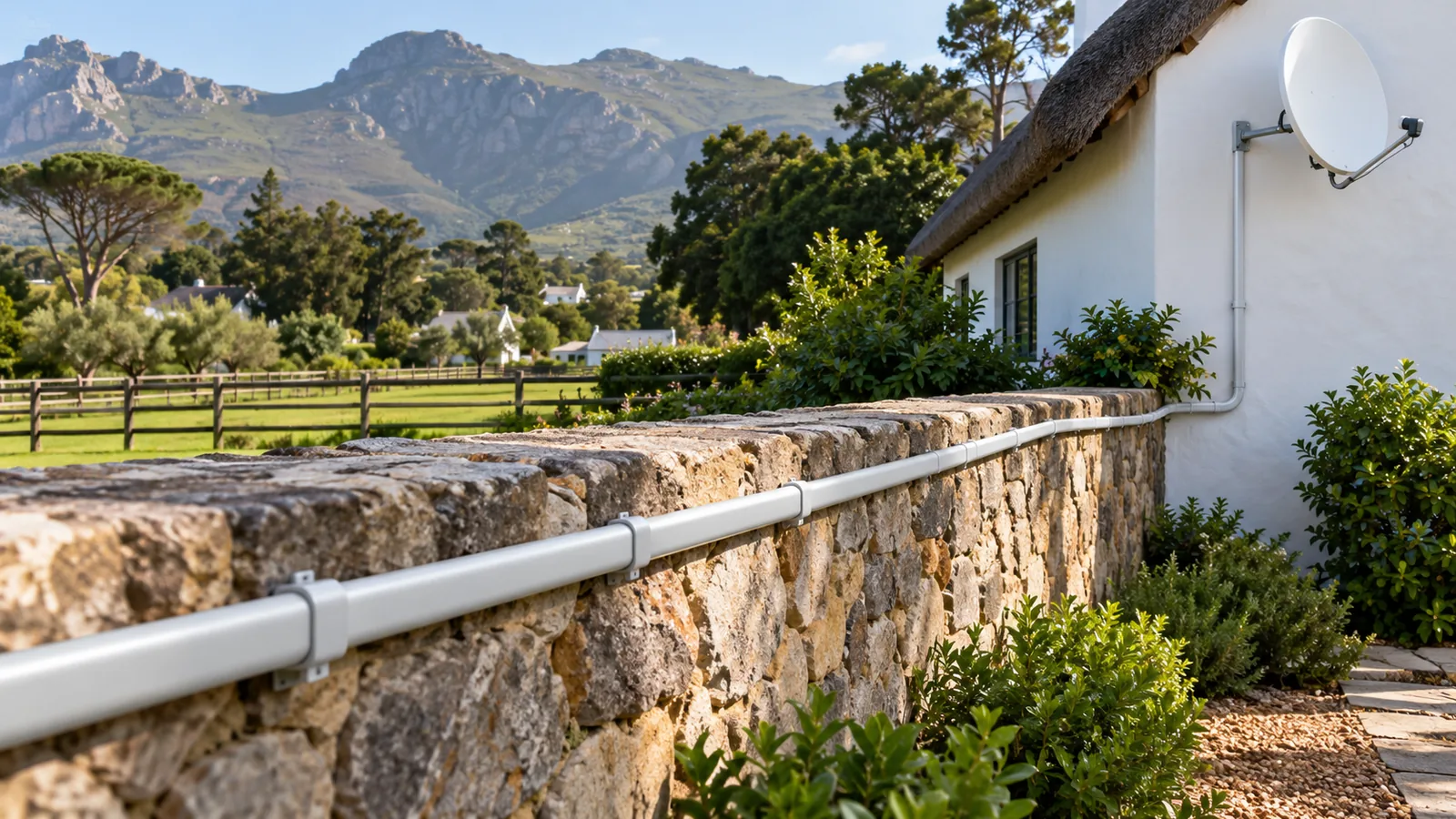
If the cottage only wants free channels, a separate small dish may be cheaper than a long cable. Our guide to the OpenView installation price in Noordhoek covers that route for guest rooms and staff quarters.
Need DStv help in Noordhoek?
Tell us what you need or what your screen shows. We price the job before we drive out.
Damp, Rodents and Garden Trenching Around Noordhoek
The valley is green for a reason. Mist settles in the mornings, winter rain is steady, and tall gums and pines drop needles into gutters for months. All of that is hard on any outdoor cable in Noordhoek.
Water inside the cable
Once water gets into a connector, it creeps along the braid and the signal fades slowly over weeks. You may see the picture break up first in the rain, then even on dry days. We have written a separate piece on water in DStv coaxial cable if you suspect this is your problem.
Rats, squirrels and the roof space
Thatch and old ceilings are a warm home for rodents, and coax is easy to chew. A bitten cable may look fine from below while the core is exposed inside the roof. If your DStv cable connection fails after you hear scratching above the ceiling, the roof run is the first suspect.
Trenches, spades and lawnmowers
Cable buried straight in the soil without conduit tends to meet a spade sooner or later. For runs across a paddock or lawn, we lay it in conduit at a sensible depth and mark the route. A tidy trench saves you a repair the next time someone plants a hedge.
Safety first
Roof and ladder work on thatch or high farmhouse walls is risky, especially when the surface is wet. Never lean a ladder on a gutter or climb alone. Keep coax well clear of any overhead power line, and switch off the decoder at the wall before handling connectors.
Testing a DStv Cable Connection Before Blaming the Dish
When the signal drops, most people assume the dish has moved. Sometimes it has, but in our experience a faulty cable or joint is just as common. A few home checks can point you in the right direction.
- Open the signal screen on the decoder and write down strength and quality.
- Check the F connector at the back of the decoder is tight and dry.
- Follow the cable outside and look for cuts, kinks or chewed spots.
- Look up at the dish. Has a branch grown into its view toward the north-east?
- If readings are still low, stop there and call a technician.
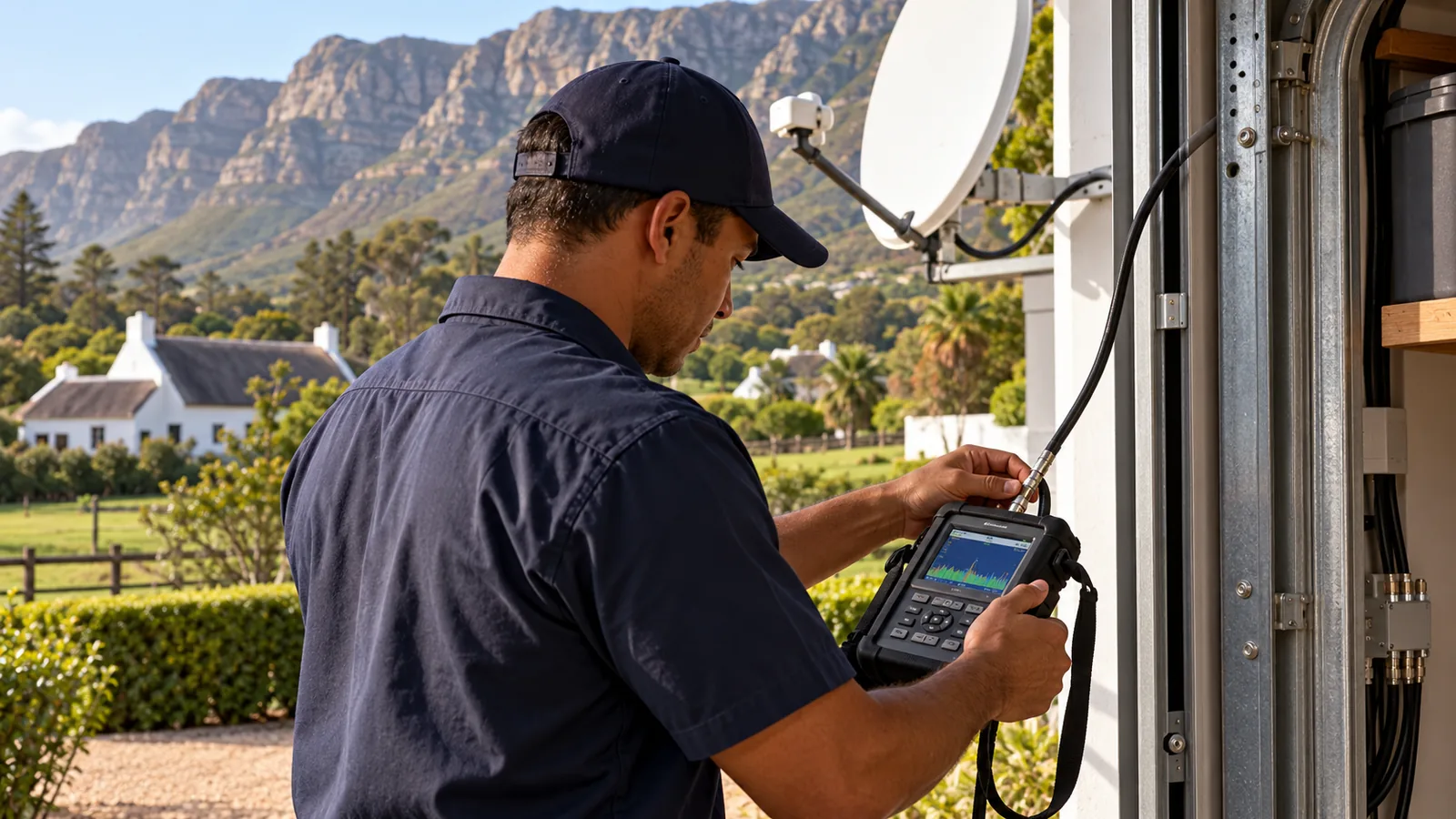
A signal meter shows our team whether the signal is strong at the dish but weak at the decoder. That points straight at the cable. If the decoder itself is the issue, our decoder repairs service takes over from there.
Good to know
Signal quality matters more than strength. A reading with high strength but low quality often means a damp or damaged joint somewhere along the run, not a dish problem.
HDMI or AV for the Last Metre in Noordhoek
The HDMI lead is the shortest part of any DStv cable connection, but it still matters. For any flat-screen TV made in the last fifteen years, use HDMI. It gives you the sharpest picture and carries sound in the same lead.
- HDMI: one cable, HD picture, digital sound. Use a standard high-speed lead.
- AV (red, white, yellow): only for very old TVs. The picture is softer and you may need extra sound leads.
- Explora Ultra: needs an HDMI lead and a TV that supports 4K to show its best picture.
If you are adding a recording decoder at the same time, our DStv Explora installation guide explains the Smart LNB and extra cabling it needs.
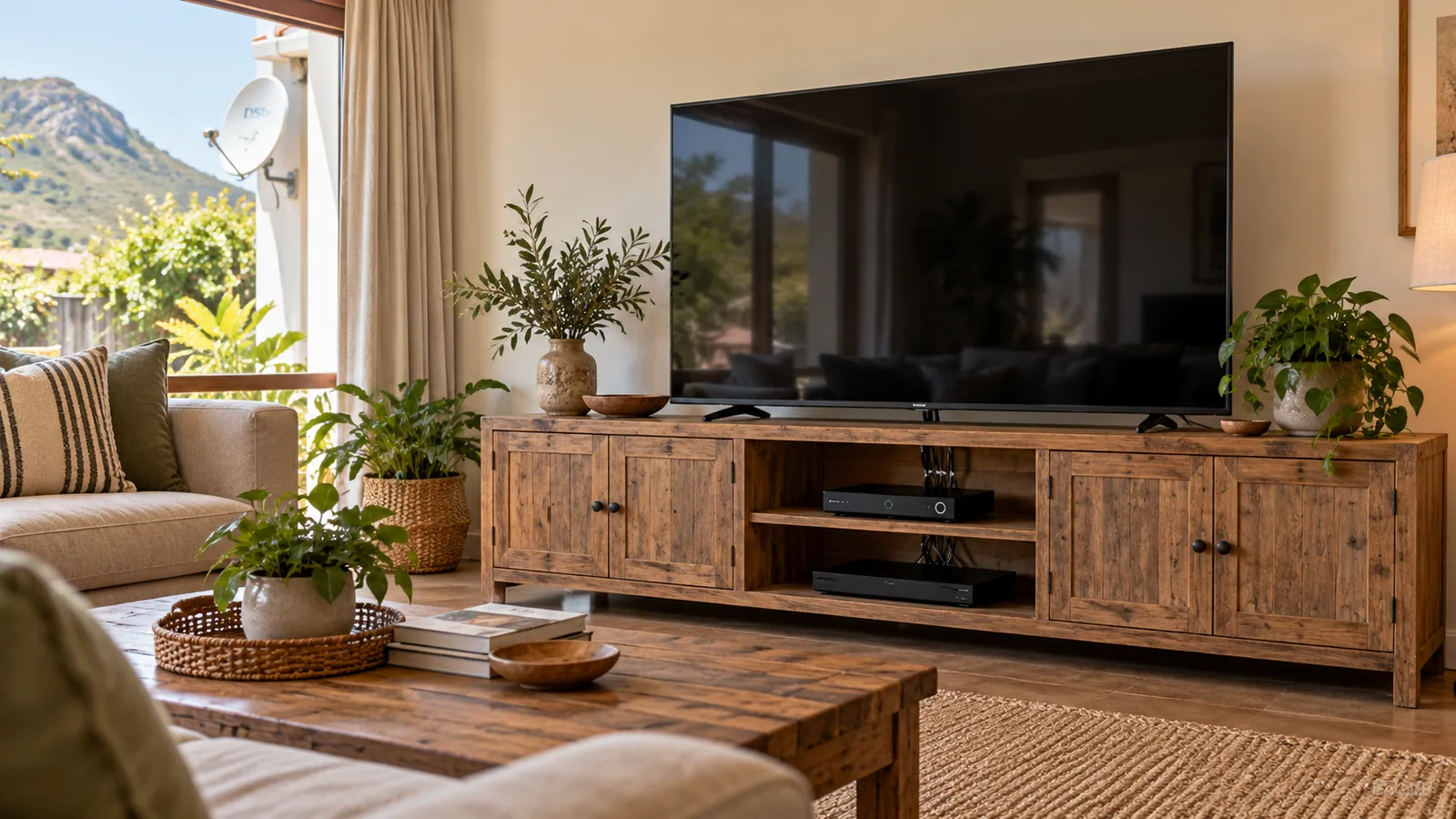
Behind the TV unit, bundle the cables loosely with Velcro straps rather than tight cable ties. That way the coax keeps its gentle curve and you can still reach each plug later.
A Tidy DStv Cable Connection Is Only Half the Story
A perfect cable still needs the right package on the other end. Many families find the DStv Select package covers what they watch at a fair monthly price. You can check current package details on the official DStv website.
Getting the hardware right first means you only pay for TV, not for repeat call-outs. A DStv cable connection with a clean run and sealed joints usually outlives the decoder it feeds.
Book a Cable Check in Noordhoek
If your signal keeps dropping, a cottage needs TV, or you just want a neater setup, our team of DStv installers in Noordhoek can help. We work across Noordhaven, Crofters Valley, Lake Michelle, Sun Valley and Fish Hoek. We quote first, test with you before we leave and tidy every run.
Send us a photo of the back of your decoder and the cable route on our contact page, and we will come back with a clear plan.
DStv cable connection in Noordhoek: FAQs
How does a DStv cable connection work from the dish to the TV?
The dish collects the signal and the LNB on its arm turns it into something a cable can carry. A coaxial cable then runs from the LNB to the LNB IN port on the decoder. The decoder unscrambles the channels and sends picture and sound to the TV through an HDMI cable. Every joint along that path has to be tight and dry.
Which cable is used for a DStv cable connection?
We use RG6 coaxial cable with a solid copper core and a good foil and braid shield. Older homes sometimes have thin RG59 cable left over from TV aerials, which loses more signal over distance. On longer runs to a cottage or outbuilding, RG6 cable is the minimum, and the ends must be fitted with proper compression F connectors.
Why does my DStv cable connection keep losing signal in Noordhoek?
In the Noordhoek valley the usual causes are water inside a connector, a cable chewed by rats or squirrels in the roof, or a joint that has worked loose in the wind. Trees growing into the dish view can also look like a cable fault. If an E48-32 error comes and goes, we test the cable and the dish together before replacing anything.
Can I run a DStv cable to a cottage on my Noordhoek property?
Yes. Many smallholdings in Noordhoek feed a second decoder in a cottage or staff room. The cable should run in UV-stable conduit along walls or in a proper trench, not loose across the garden. For very long runs we check the signal at the far end with a meter before fitting the wall plate, so you know it will work.
Should I use HDMI or AV cables for my decoder?
Use HDMI for any modern flat-screen TV. It is the final link in a DStv cable connection. It carries a sharp HD picture and sound in one cable and is the only way to get full quality from an HD or Explora decoder. The red, white and yellow AV cables are only for very old TVs without HDMI. They work, but the picture will look soft on a big screen.
Is it safe to cut and rejoin a DStv coaxial cable myself?
You can, but most home joins fail within a season. A twist-on connector or taped join lets damp in, and the signal drops in the first wet winter front. If you must join a cable, use a proper barrel joint with compression F connectors on both sides and seal it. Better still, replace the damaged length in one piece.